
Blue Light & HEV Protection in Stony Plain
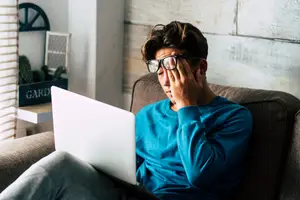
Most of us spend a large part of the day looking at a screen. By the end of it, your eyes may feel tired, dry, or harder to focus. You might notice headaches after long stretches at the computer, or that your vision seems to fluctuate late in the day.

A Closer Look at What’s Causing the Strain
At i-Care Family Vision & Eye Care, we look at the whole picture, not just the screen, to understand what’s contributing to your discomfort and whether lens adjustments or simple changes could help.
Understanding Blue Light and Digital Eye Strain
Blue light, sometimes called high-energy visible (HEV) light, comes from digital screens and LED lighting. It’s part of normal light exposure, but extended screen time can strain the visual system. This is often referred to as digital eye strain or Computer Vision Syndrome.
People commonly describe:
-
Eyes that feel heavy or fatigued
-
Headaches after screen use
-
Blurred or inconsistent focus
-
Dry or irritated eyes
-
Sensitivity to glare
-
Neck or shoulder tension from prolonged near work
Blue light isn’t always the only cause. Prescription changes, dry eye, glare, and focusing stress can all play a role. A comprehensive eye exam helps us sort out what’s actually driving your symptoms.
Who Might Notice It More
Screen-related discomfort tends to show up in people who:
-
Work at a computer for most of the day
-
Study on laptops or tablets regularly
-
Spend significant time on phones
-
Already experience dry eye
-
Live in Alberta’s dry climate, especially during winter months
When indoor screen time increases, symptoms often become more noticeable.


Lens Options for Screen Use
If lenses are part of the solution, we’ll recommend options that fit your daily routine. We carry lens solutions from HOYA and ZEISS and may suggest:
-
Blue light filtering lenses
-
Anti-reflective coatings to reduce glare
-
Computer-specific prescriptions for your working distance
These lenses aren’t a cure-all, but they can make long hours at a screen feel more manageable when they’re appropriate for your needs.
Simple Habits That Help
In many cases, small adjustments make a difference:
-
Take regular visual breaks (the 20-20-20 approach works well)
-
Adjust lighting to reduce glare
-
Keep screens at a comfortable distance
-
Blink more often, especially if your eyes feel dry
-
Limit screen use close to bedtime
We’ll talk through what makes sense for your environment.

What Happens During Your Exam
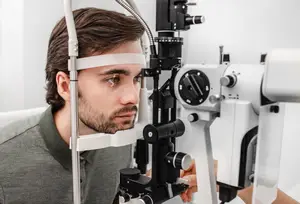
If screen discomfort is your main concern, we go beyond checking your prescription. We look at how your eyes focus and work together, assess tear quality, and review how you’re using screens throughout the day.
From there, we offer clear, practical recommendations, not automatic upgrades.
Schedule Your Eye Exam in Stony Plain
If screen time is leaving your eyes tired or uncomfortable, book a comprehensive eye exam at i-Care Family Vision & Eye Care. We’ll review your symptoms and help you find a practical plan that supports comfortable, consistent vision.